
Export your timesheet to PDF
Hours Tracker exports any period as a PDF timesheet in three layouts: standard, landscape and week by week, ready to print or send to your employer.
From logged hours to timesheet
Log your shifts as you work, with the timer or by adding a shift later. When the period ends, pick the dates you need, check the totals in the report, and export a PDF timesheet from the same screen. No copying hours into a spreadsheet.
Three layouts
- Standard: a clean list of your entries for the period.
- Landscape: the same timesheet in landscape orientation.
- Week by week: your hours broken down week by week.
What is on the timesheet
- Your details and your employer's details
- Hours priced per rate, so regular, overtime and holiday hours are costed correctly
- Breaks already deducted from the totals
Reading the example
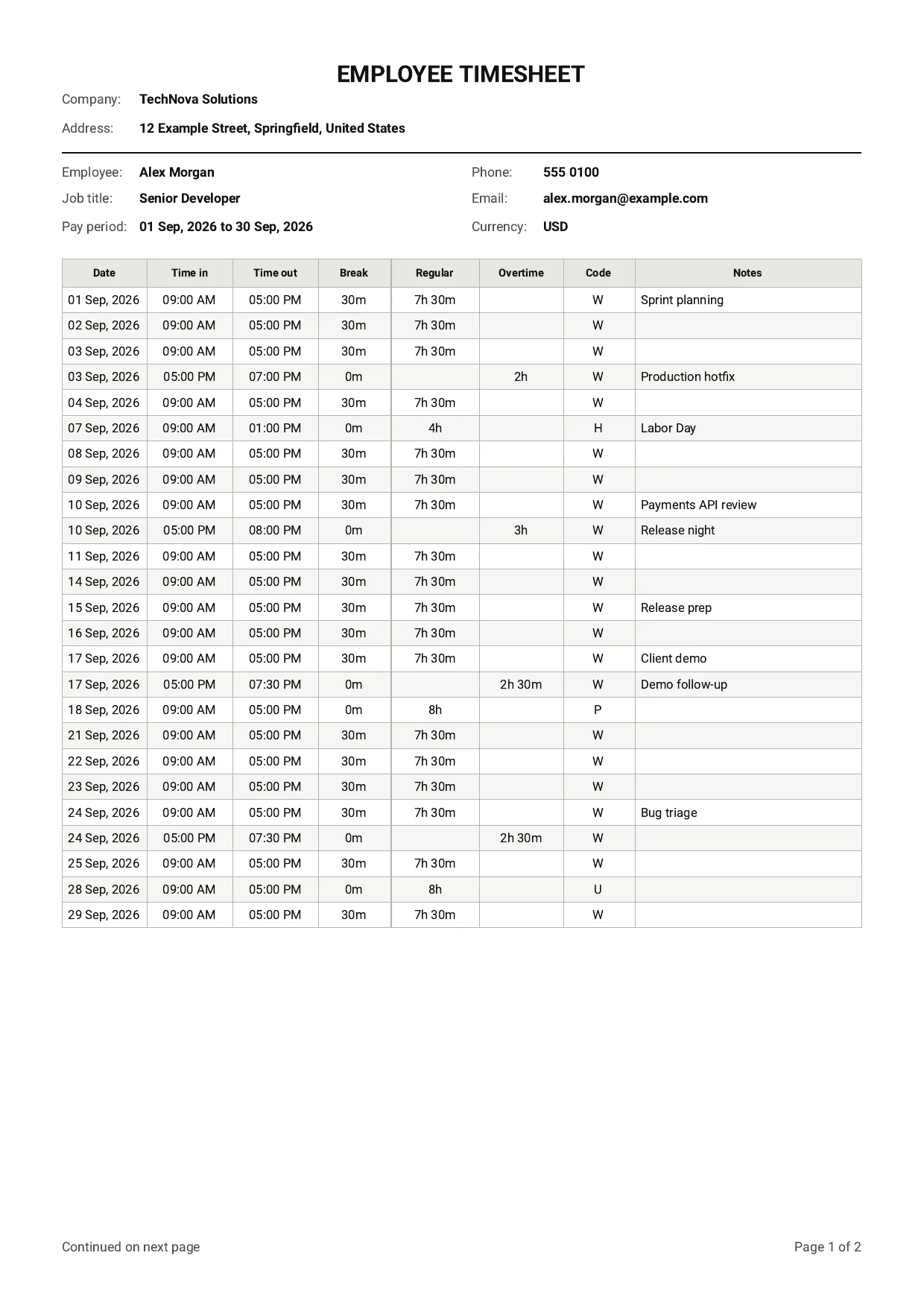
The sample above is one month for one job. At the top are the company name and address, then the employee, job title, pay period, contact details and currency. Each row of the table is one entry:
- Date, time in and time out for the shift
- Break, already taken off the hours
- Regular and Overtime hours in separate columns, so an evening of overtime shows as its own row
- Code for the kind of day: in this example W for working time, H for a holiday, P for paid leave and U for unpaid leave
- Notes you added to the entry
Longer periods run onto further pages, numbered at the foot of each page.
Who it is for
Employees who send hours to payroll each period, freelancers and contractors who bill for time, and anyone with more than one employer who needs a separate timesheet for each. See tracking hours across multiple jobs for how jobs are kept apart.
Last updated